
BardecodeFiler2.10.1.1 - Download
You'll be able to download in few seconds.
Publisher Description
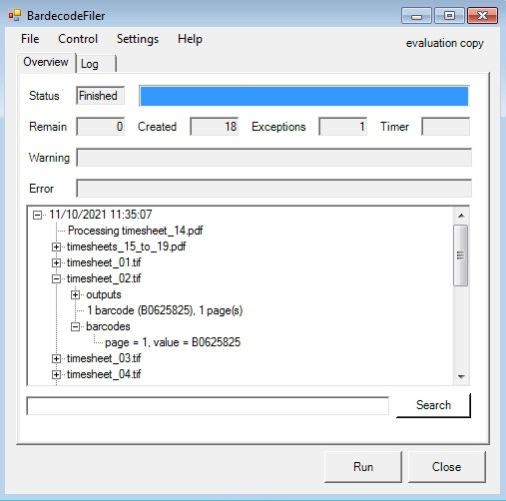
A ready to use application that splits and renames TIF, JPEG and PDF documents according to barcode value. The application reads documents from an input folder and creates new documents in an output folder. The original documents are not modified or deleted. The name of a new document is controlled by a template, which can include the original file name, barcode values and sequence numbers. Documents can either be left whole or split in sub-files according to barcode location. BardecodeFiler can be run from the command line and within scripts which can utilise imported settings. Licenses range from $249 for a single user license for the desktop version to $99 with volume discounts. Every license comes with a year support and upgrade cover as standard. With over 10 years of development and refinement the BardecodeFiler application is the perfect, reliable, ready-to-use solution. Also available as a Windows Service.
About BardecodeFiler
This Inventory & Barcoding program is available in English. It was last updated on 29 September, 2026. BardecodeFiler is compatible with the following operating systems: Windows.
The company that develops BardecodeFiler is Softek Software Ltd. The latest version released by its developer is 2.10.1.1.
The download we have available for BardecodeFiler has a file size of 22.0 MB. Just click the green Download button above to start the downloading process. The program is listed on our website since 2023-12-12 and was downloaded 0 times. We have already checked if the download link is safe, however for your own protection we recommend that you scan the downloaded software with your antivirus. Your antivirus may detect the BardecodeFiler as malware if the download link is broken.
How to install BardecodeFiler on your Windows device:
- Click on the Download button on our website. This will start the download from the website of the developer.
- Once the BardecodeFiler is downloaded click on it to start the setup process (assuming you are on a desktop computer).
- When the installation is finished you should be able to see and run the program.
Program Details
System requirements
Download information
Pricing
Version History
version 2.10.1.1
posted on 2023-12-12
Desktop users can now pick specific files for processing via File/Open or Ctrl-O. Ideal for processing ad-hoc files.
Input and Output folders can now be modified direct from the menu.
Files that have been recently modified can now be handled as if they were locked.
version 2.3.2
posted on 2016-01-01
Bug fixes and faster processing of multi-page files
version 1.2
posted on 2008-10-13
1. Ability to run in hidden mode with no user interaction. 2. Added Line Jump setting to the options dialog.
Disclaimer
External Download
We do not host BardecodeFiler on our servers. We did not scan it for viruses, adware, spyware or other type of malware. This app is hosted by the software publisher and passed their terms and conditions to be listed there. We recommend caution when installing it.
The external download link for BardecodeFiler is provided to you by apps112.com without any warranties, representations or guarantees of any kind, so access it at your own risk.
If you have questions regarding this particular app contact the publisher directly. For questions about the functionalities of apps112.com contact us.
